I compared 7 top NAS devices from Ugreen, Synology, and TerraMaster — here are the ones I'd recommend for most people this Black Friday
Black Friday is here, and it's always the best time of year for upgrading your tech - particularly if you're a remote professional or small business. One area I find some of the best deals is on NAS devices. Not unreasonably, many people are considering alternatives to saving important files in the Cloud, and a NAS offers much the same functionality under your personal control.
I've spent years testing out different NAS devices, and use them daily at home. So, if you're looking at the Black Friday NAS deals from Ugreen, TerraMaster, and the like, I'm here to help you choose the right one for your needs at the best price.
You'll find 7 of my personal picks here, but for the all-rounder NAS that does everything most professionals and home users need, I'd check out the Ugreen NASync DXP4800 Pro at Amazon. I gave this device 4 stars in my review, calling it " ideal for a small four-bay NAS for backups and synchronisation."
Black Friday NAS deals on a budget
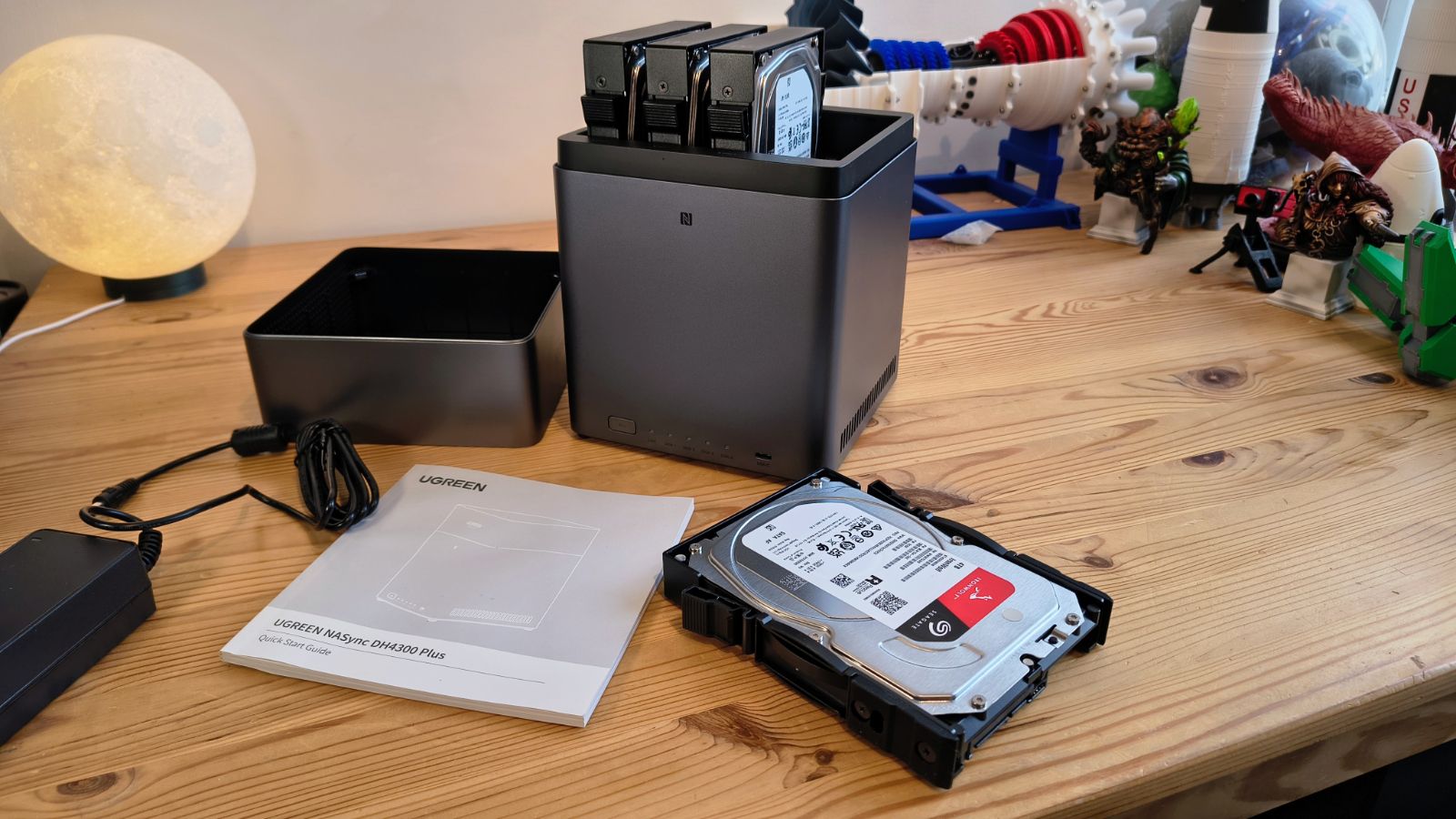

NASync DH4300 Plus: was $439.99 now $349.99
Except for the DH2300, a two-bay variant, this is the cheapest NAS Ugreen offers, but it's still a highly useful and flexible solution. Because it uses an ARM processor platform, it can’t run Virtual machines that are based on Intel or AMD architectures, but it can run Docker. The best use for a device like the DH4300 Plus is as a personal backup NAS or a personal Cloud services system..
Except for the DH2300, a two-bay variant, this is the cheapest NAS Ugreen offers, but it's still a highly useful and flexible solution.
Because it uses an ARM processor platform, it can’t run Virtual machines that are based on Intel or AMD architectures, but it can run Docker. The best use for a device like the DH4300 Plus is as a personal backup NAS or a personal Cloud services system.
If you have an exceptionally tight budget, I’d consider the 2-Bay Ugreen NASync DH2300 as a cheap alternative, which is often heavily discounted.
Read the full review here
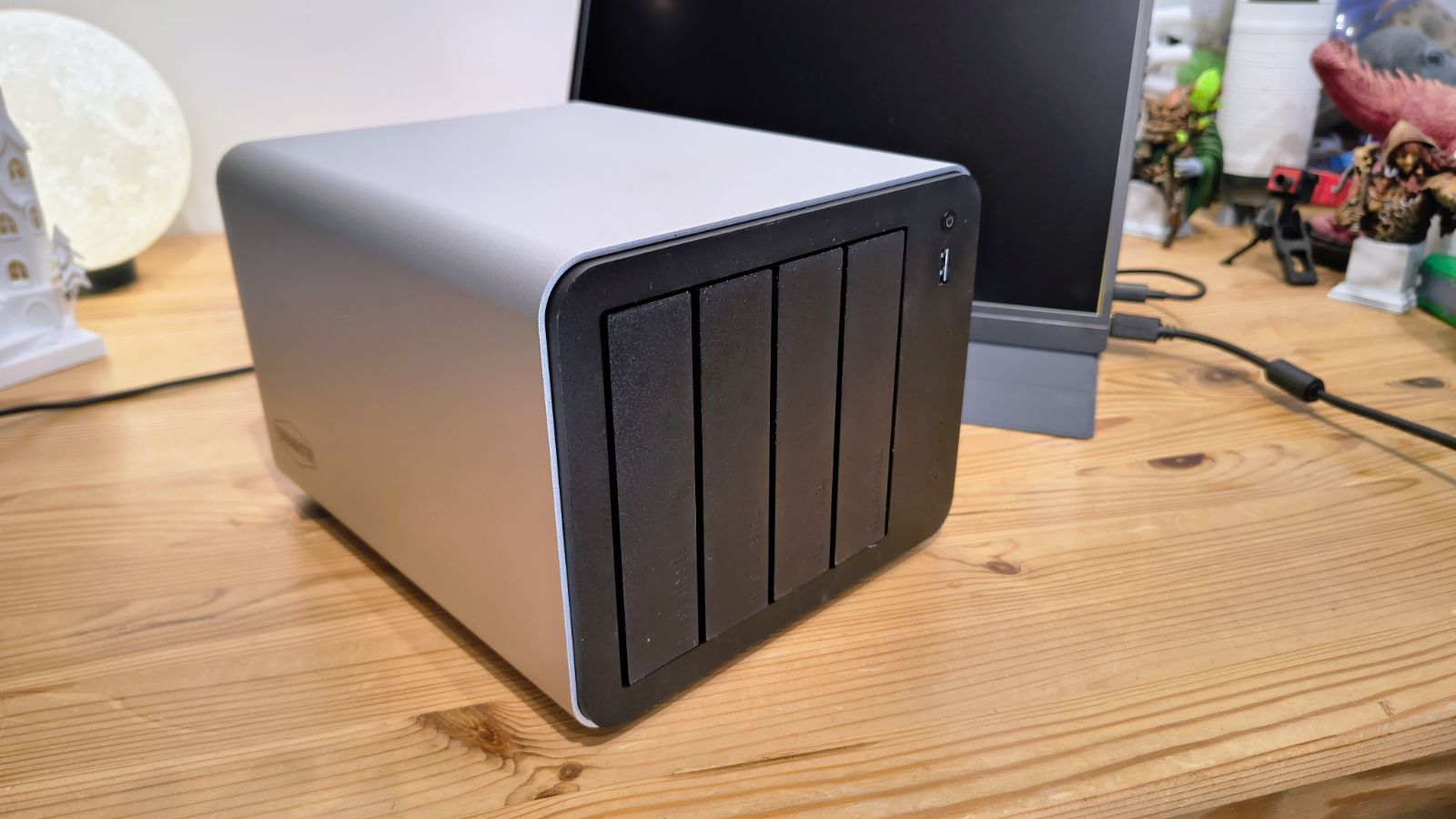
TerraMaster prides itself on making products that are easily worth the asking price, and even before the 20% that the current deal took off, the F4-425 had a good asking price.
For a little over $340, you get an Intel-based NAS with 4GB of RAM and a 2.5GbE LAN port. With TOS 7, you have plenty of applications to choose from, including the usual suspects for software development and media services.
Read my full review here.
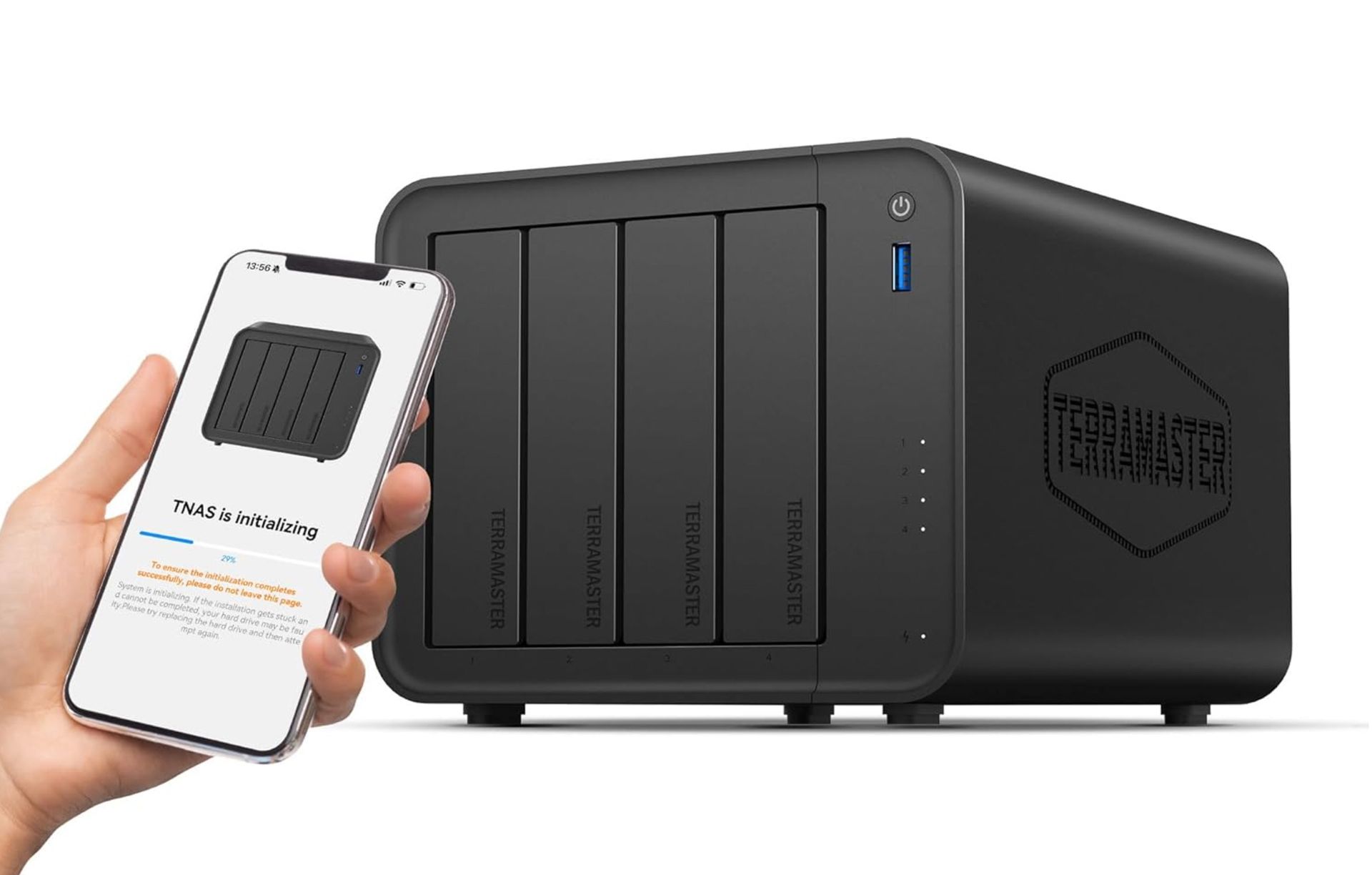
TerraMaster prides itself on making products that are easily worth the asking price, and even before the 20% that the current deal took off, the F4-425 had a good asking price. For a little over $340, you get an Intel-based NAS with 4GB of RAM and a 2.5GbE LAN port. With TOS 7, you have plenty of applications to choose from, including the usual suspects for software development and media services.
Mid-range Black Friday NAS deals
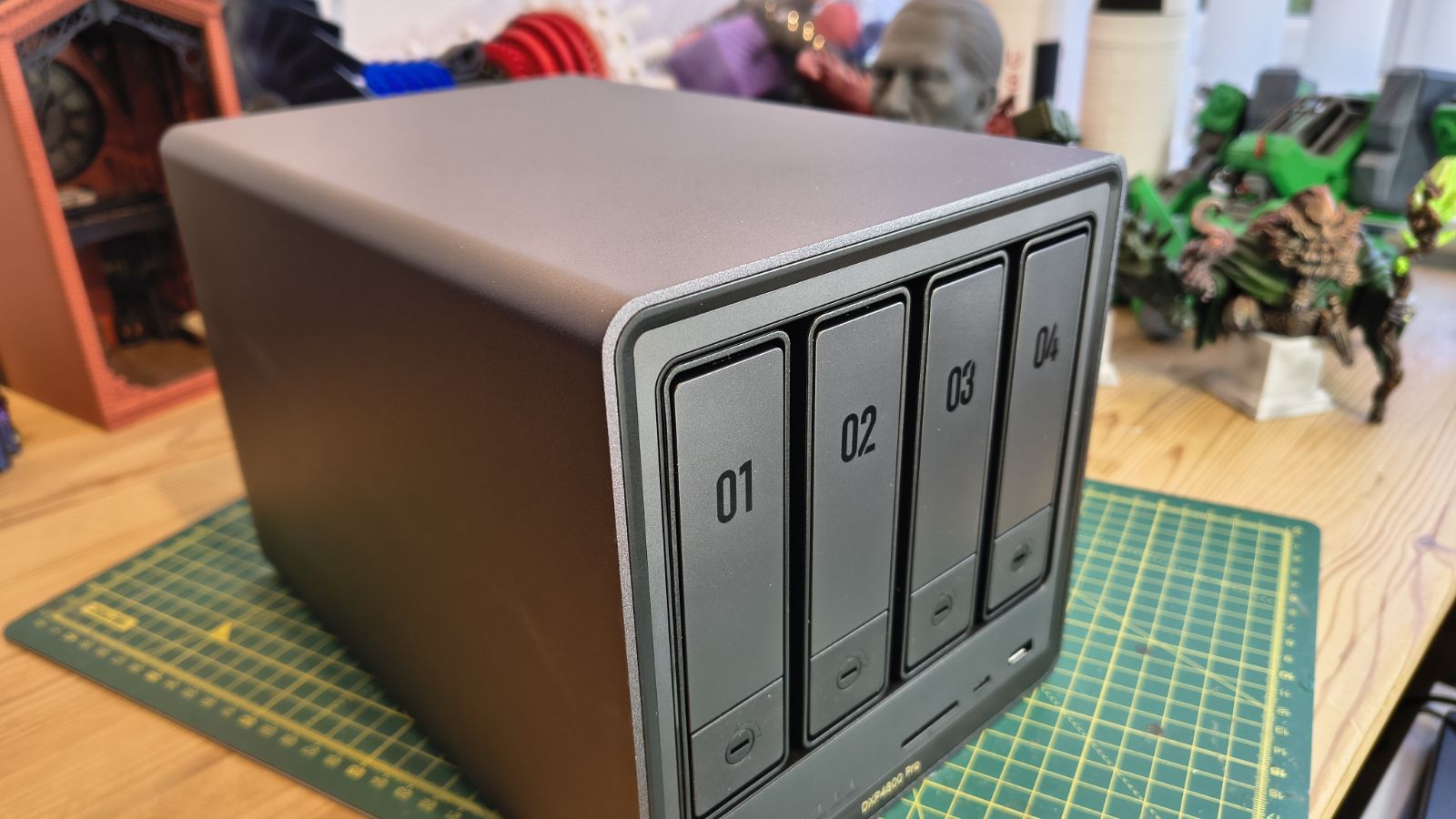
This NAS supports up to 96GB of RAM, has upgraded Gen 4 M.2 slots, and added enhanced AV1 hardware decoding.
At its normal price, this is a great NAS, but with the discount, this is certainly worth considering for anyone who needs a punchy four-bay NAS that can run Docker containers and VT instances.
Read my full review of this NAS here.
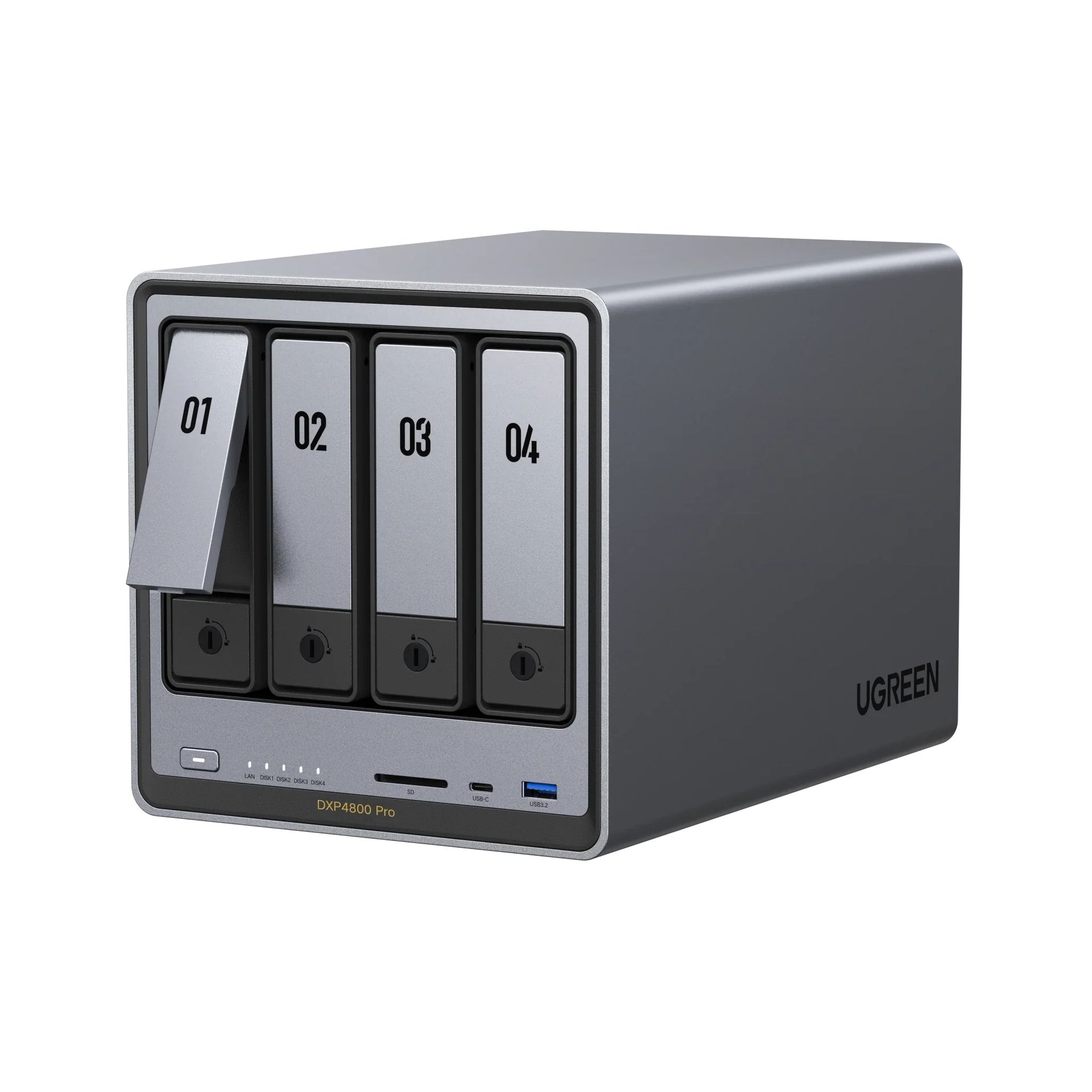
NASync DXP4800 Pro: was $801.99 now $639.99
This NAS supports up to 96GB of RAM, has upgraded Gen 4 M.2 slots, and added enhanced AV1 hardware decoding.
At its normal price, this is a great NAS, but with the discount, this is certainly worth considering for anyone who needs a punchy four-bay NAS that can run Docker containers and VT instances.
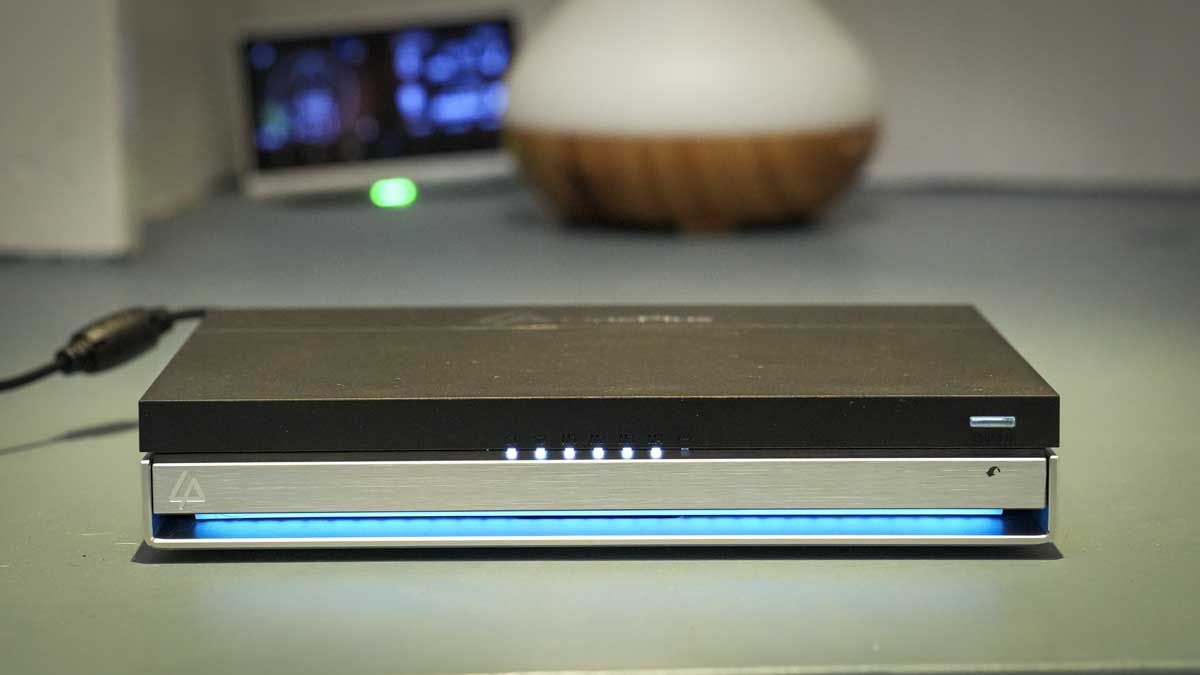
What’s special about this NAS is its hybrid RAID arrangement via an Unraid starter license, which lets you mix drives of different sizes without losing capacity.
The basic configuration allows for two SATA drives and four M.2 drives and comes with 16GB of LPDDR5 memory. Given that even without a discount, the N2 is only around $410, it seems implausible that it includes 10GbE networking.
Read the full review here
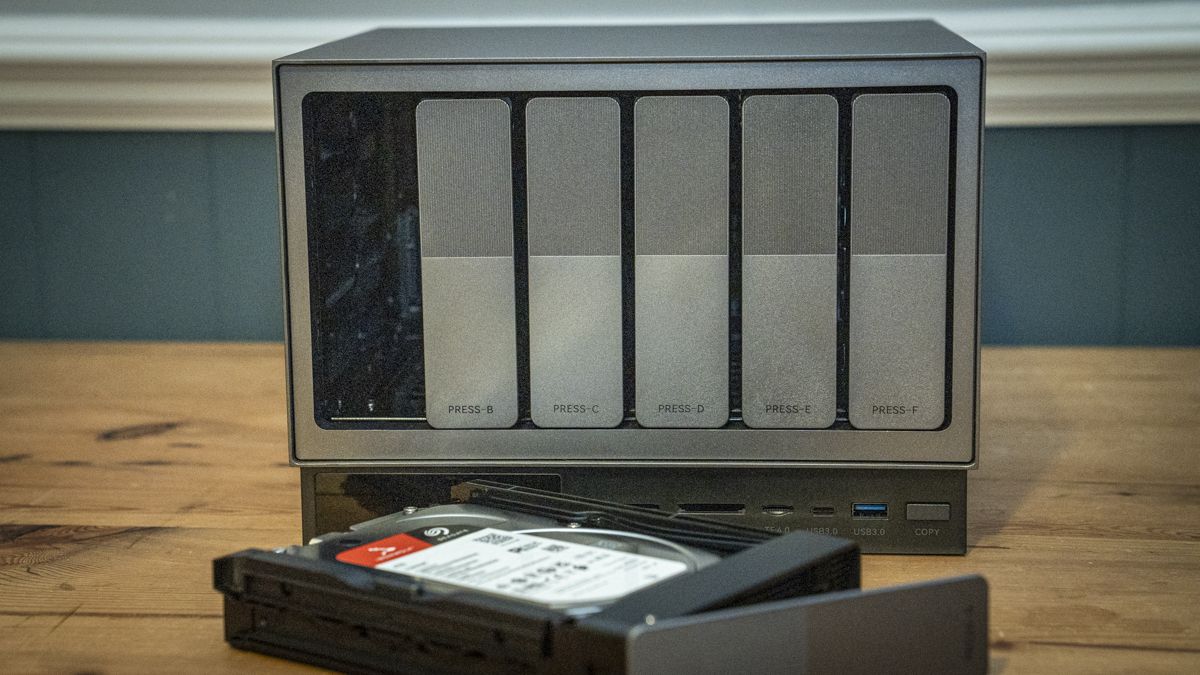
This NAS uses a Rockchip RK3588 (ARM, 8-core), which has an NPU at its disposal for AI acceleration.
If you don’t want local AI LLMs, this is an inexpensive 6-bay NAS with multiple LAN ports, HDMI out and 16GB of LPDDR4x memory. With six bays, it can support RAID 0, 1, 5, 6, 10, JBOD, and Basic, allowing for maximum storage flexibility.
Read the full review here
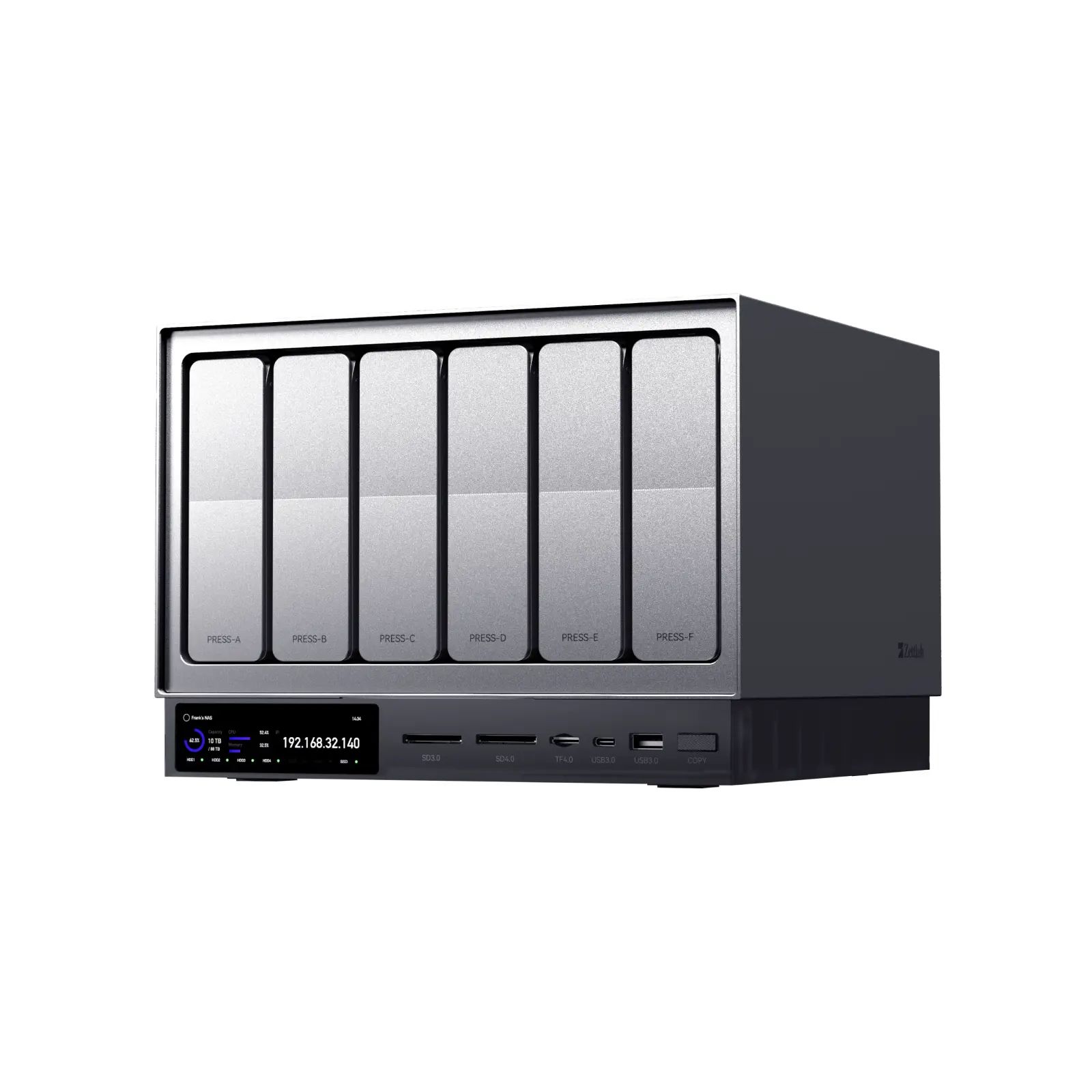
AI NAS D6: was $799.99 now $649.99
This NAS uses a Rockchip RK3588 (ARM, 8-core), which has an NPU at its disposal for AI acceleration. If you don’t want local AI LLMs, this is an inexpensive 6-bay NAS with multiple LAN ports, HDMI out and 16GB of LPDDR4x memory. With six bays, it can support RAID 0, 1, 5, 6, 10, JBOD, and Basic, allowing for maximum storage flexibility.
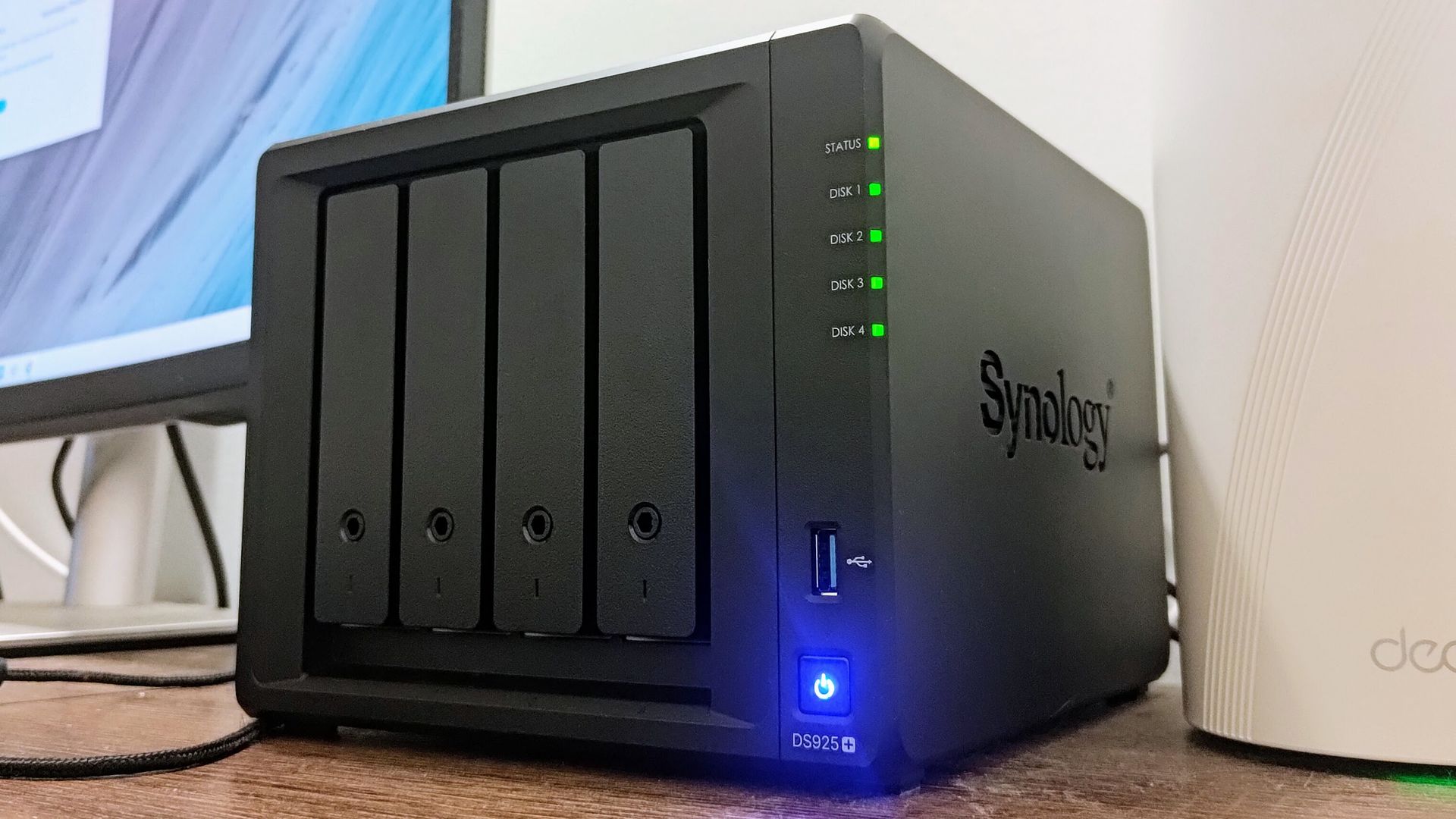
This four-bay NAS can expand to nine drives with an external expansion box. Powered by the AMD Ryzen V1500B processor, this remarkably power-efficient design includes dual 2.5GbE LAN ports for link aggregation or failover configurations.
Note, it officially supports only Synology-branded drives, although workarounds exist to use Seagate and Western Digital drives.
Read the full review here
Flagship Black Friday NAS deals
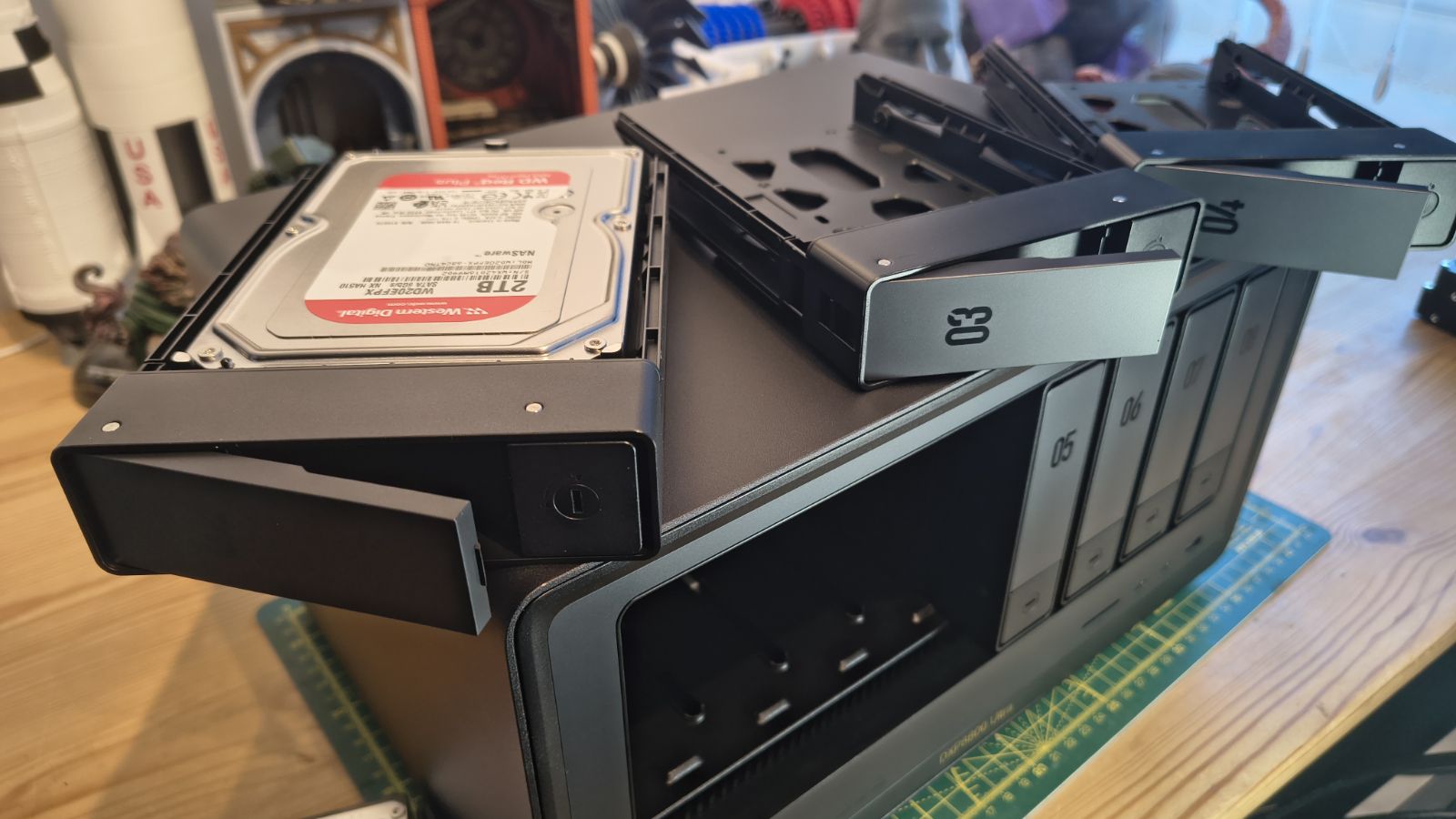
As a long-time user of the DXP8800 Plus, I didn’t think I’d want to move from that, but the DXP8800 Ultra makes that a tempting prospect.
What’s wonderful about this hardware is that it has a Core 7 150U processor, can support up to 96GB of DDR5 memory, has dual 10GbE LAN ports, Thunderbolt 4 and a PCIe Gen 4 slot.
Given the amount of hard drive and SSD capacity this NAS can hold, it's an obvious choice for the Prosumer or small business buyer.
Read my full review here
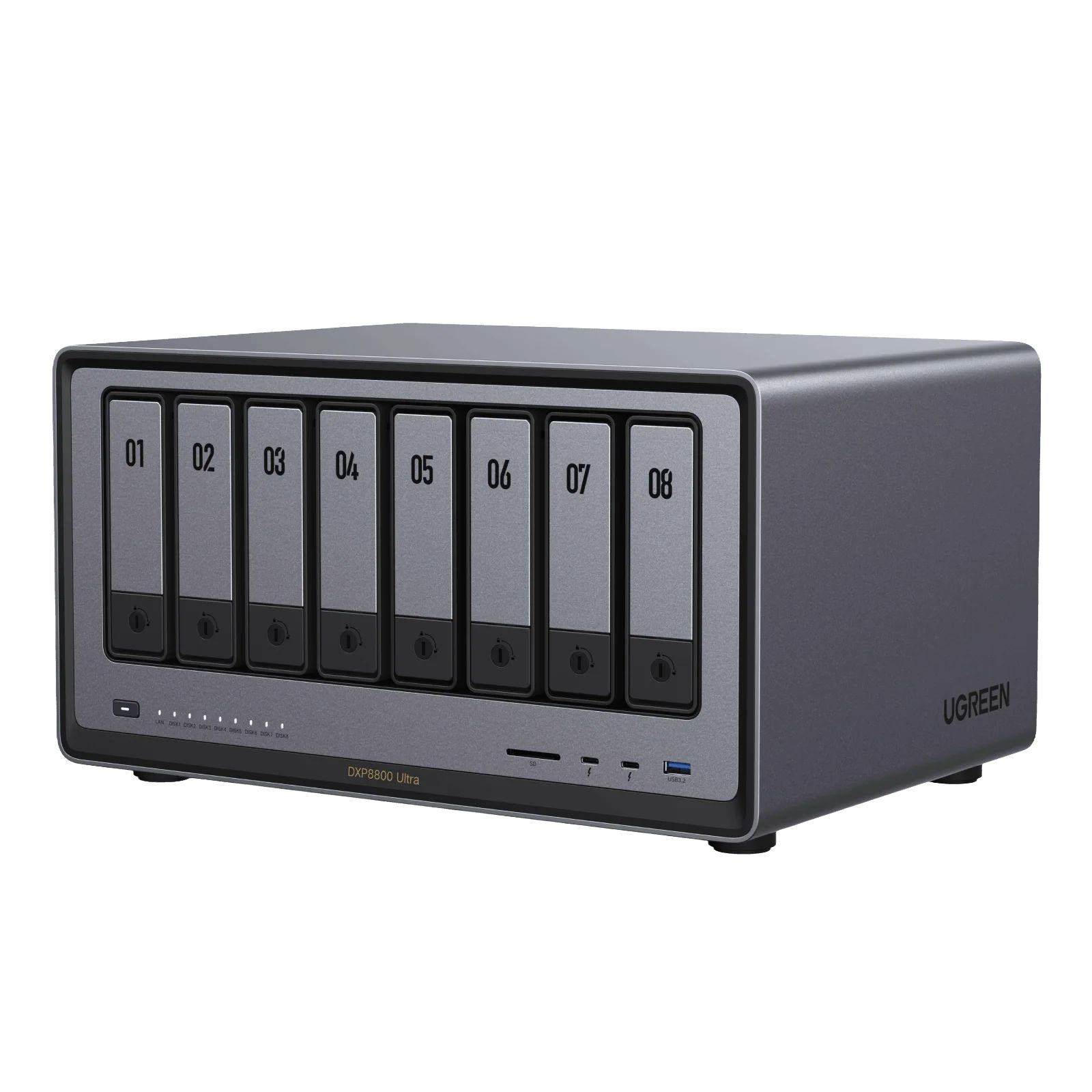
NASync DXP8800 Ultra: was $1779.99 now $1423.99
As a long-time user of the DXP8800 Plus, I didn’t think I’d want to move from that, but the DXP8800 Ultra makes that a tempting prospect. What’s wonderful about this hardware is that it has a Core 7 150U processor, can support up to 96GB of DDR5 memory, has dual 10GbE LAN ports, Thunderbolt 4 and a PCIe Gen 4 slot.
Given the amount of hard drive and SSD capacity this NAS can hold, it's an obvious choice for the Prosumer or small business buyer.
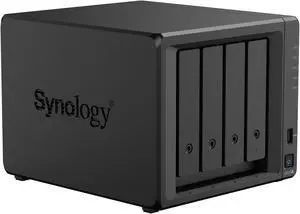
Diskstation DS925+: was $889 now $694
This four-bay NAS can expand to nine drives with an external expansion box. Powered by the AMD Ryzen V1500B processor, this remarkably power-efficient design includes dual 2.5GbE LAN ports for link aggregation or failover configurations. It officially supports only Synology-branded drives, although workarounds exist to use Seagate and Western Digital drives.
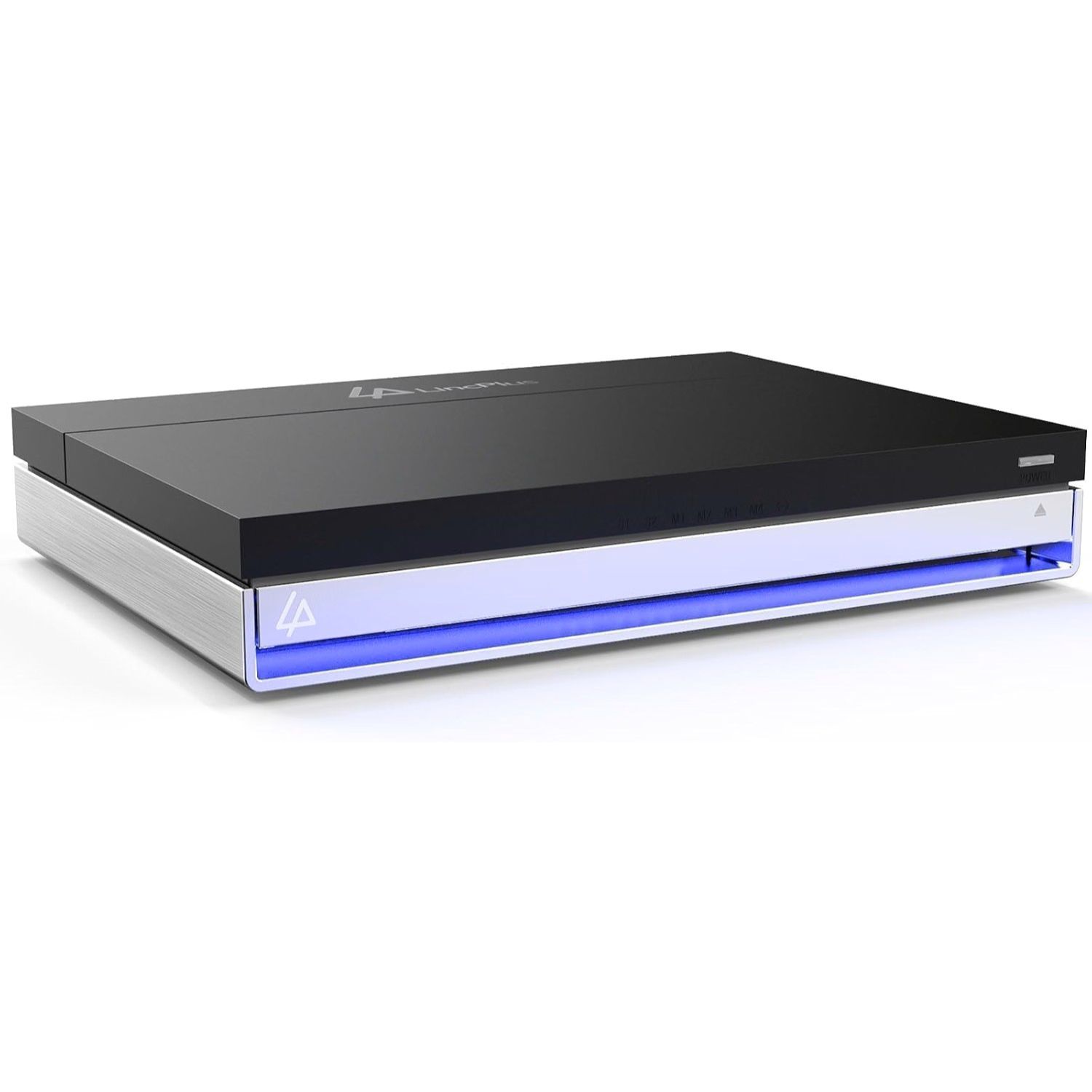
LincStation N2: was $409.99 now $348.42
What’s special about this NAS is its hybrid RAID arrangement via an Unraid starter license, which lets you mix drives of different sizes without losing capacity. The basic configuration allows for two SATA drives and four M.2 drives and comes with 16GB of LPDDR5 memory. Given that even without a discount, the N2 is only around $410, it seems implausible that it includes 10GbE networking.
Why I recommend these NAS deals
At the shallower end of this NAS pool are the Ugreen NASync DH4300 Plus, the LincPlus LincStation N2 and the TerraMaster F4-425. Each offers something slightly different but for around the same $350 cost. Of these, the TerraMaster F4-425 takes some beating, since it has an Intel CPU, expandable RAM and a 2.5GbE LAN port
Our middle order includes the remarkable value of the Ugreen NASync DXP4800 Pro, the ever-popular Synology DS925+, the innovative Zettlab AI NAS D6 and the Unraid sophistication of the LinkPlus Linkstation N2. Of these, the DXP4800 Pro is hard to ignore, offering a great CPU, memory options, and LAN ports for the lowest outlay. The DS925+ is only for Synology fans who are happy to buy their branded storage. The Zettlab D6 uses an ARM SoC but offers the most bays, making it a good option for those who need its greater capacity. And, for those who want performance foremost, the Linkstation N2 is the one to consider.
For those with the budget, there is only one choice: the majestic Ugreen NASync DXP8800 Ultra. The power, capacity and flexibility of this design cast a long shadow over other NAS. With Thunderbolt 4 in host mode, you can connect a computer directly and get 20Gbps transfers, doubling the performance of the 10GbE LAN ports. And if the two 10GbE LAN ports are insufficient, it is possible to add two more using the PCIe slot. Overall, this is the NAS to own, if you can also afford to fill the drive slots.
Black Friday NAS deals - buying advice
What NAS should I choose during Black Friday and Cyber Monday?
As with most tech choices, budget is the biggest driver, because not everyone can splash $1500 on a NAS. Most brands offer entry-level models that are reasonably priced and have a decent feature set. There are two major considerations when buying a budget NAS, and that’s where you see the system going in terms of drives and memory, and the infrastructure that you intend to connect it to.
Four-bay designs offer easier drive redundancy RAID configurations than two-bay, and six and above expand those possibilities. The amount of RAM you can install is dictated by the NAS's processor platform, and some cheaper ARM-based machines cannot have extra memory added. As you progress to mid-range and higher, you are effectively buying flexibility in both how the system can be externally and internally expanded. The most expensive NAS have PCIe slots like a regular PC, allowing all manner of additional hardware to be added.
Whatever machine you want, consider how you will fill those bays and slots, since the NAS is now often the cheapest part of any system. Therefore, a budget for a $350 NAS might ultimately become $1000 when you have enough drives installed.
Buying a NAS and then one large drive is a mistake, because all your data will go with it if it dies for whatever reason. A minimum installation is two drives in a mirror pack, but three drives give you one drive redundancy but 2/3 of the capacity.
Research if three larger drives cost less than four smaller ones, and how that impacts the total useable capacity once they are installed.
What features should I check when selecting the right NAS deal?
Beyond checking the number of bays, the feature you should check first is what processor the NAS is running on and how many cores it has.
Cheaper machines use ARM SoCs, much like modern phones, which are highly power-efficient but lack support for things like Thunderbolt and M.2 slots.
Better machines use Intel or AMD processors, and these tend to have better ports and the ability to run VMs (Virtual Machines). But using technologies like VMs and Docker requires memory, and a machine that can accept more than 16GB of RAM might be critical if you intend to run multiple VMs or Docker containers.
For many, this is the preferred way to run applications, rather than relying on tailored versions that might be months behind the current release.
And that’s the second critical check, which is: will it run the apps you specifically want? Some NAS don’t have a massive selection of first- or third-party apps, instead relying on Docker for a wider choice. If you want Plex, Jellyfin or Nextcloud, then check that the NAS operating system supports these tools. And if you want to sync files with your desktop, see what that NAS brand can do for that job.
As with any technology as sophisticated as NAS, there are inevitably some gotchas. Some brands launch new products promising a specific feature which doesn’t arrive with the hardware initially. Better brands do eventually live up to these promises, but some go for years without delivering a specific feature.
Synology needs careful consideration. Firstly, because they keep dumping some of their most popular apps, to the consternation of their user base. But also, their policy to enforce compatibility lists for drives on many newer models restricts users to Synology-branded storage. If you have some spare storage ready to put in a NAS, and it's not made by Synology, then buying a NAS with those restrictions might be problematic.
More generally, plan what role the NAS will play, then tailor your purchasing and selection around that. All systems evolve and grow, so it's good to think about how your NAS might change with use and perhaps extra investment down the line for larger drives and more memory. Thinking these aspects through now could save you from buying an entirely new NAS sooner than you might have expected.